

Colleges today share notes on WhatsApp, collect assignments by email, hold classes on a video app and keep marks in spreadsheets. It works, until it does not: files get lost, students miss updates and teachers spend hours on admin. A Learning Management System (LMS) brings these tasks into one place. This guide explains what an LMS is, what it can do for a college and how to choose one carefully.
What is an LMS?
An LMS is software that helps an institution create, deliver, manage and track learning online. Teachers upload material and set tasks, students log in to learn and submit work, and administrators see reports. Well-known examples include open-source platforms such as Moodle and many commercial products. The MoodleDocs overview gives a good idea of what such a platform includes.
Common features of an LMS
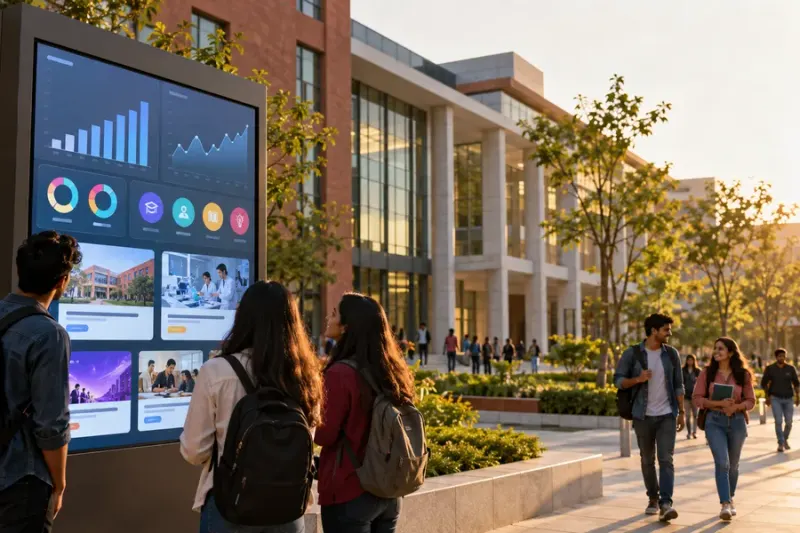
- Course pages with notes, PDFs, links and recorded lessons
- Assignments with deadlines and online submission
- Quizzes and tests with automatic or manual marking
- Discussion forums and announcements
- Progress tracking for each learner
- Reports for teachers and administrators
- Certificates on course completion
- Links to live classes through a video tool
The MoodleDocs features page is a handy reference list when you compare products.
Why colleges use an LMS
- One place for everything. Students know where to find notes, tasks and announcements.
- Less repeat work. Teachers upload once and reuse material across batches.
- Better records. Attendance in online sessions, submissions and quiz results are stored and easy to retrieve.
- Support for blended learning. Classroom teaching can be supported by recorded lessons and practice quizzes.
- Useful evidence. Reports on activity and participation help when the college reviews its own quality work (see our guide to how to run IQAC meetings).
- Skill courses at scale. A college can run short skill courses for many students without needing a separate classroom batch each time.
A 10-point checklist to choose an LMS
Before choosing, ask these questions:
- Is it easy for teachers? If teachers find it hard, they will not use it.
- Is it easy for students? Check login, navigation and how it looks on a phone, since many students use mobile.
- What assessment tools does it have? Look for quizzes, assignments, question banks and clear marking options.
- Can it handle recorded and live content? Check how videos are hosted and how live classes are linked.
- What reports does it give? Teachers and administrators should be able to see progress without manual work.
- How is data protected? Ask where data is stored, who can access it and how backups are taken.
- Can it use your college’s name and look? Some institutions prefer their own branding or domain.
- What support and training is included? Even a good LMS fails without teacher training and quick help.
- What is the total cost? Include set-up, training, hosting, support and growth over several years, not only the first-year price.
- Can you try it first? Run a small pilot with a few teachers before a full rollout.
How to roll out an LMS in a college

- Start small. Pick two or three courses and a few willing teachers.
- Train the teachers. A short hands-on workshop, followed by follow-up support, works better than one long session.
- Orient the students. Give a simple one-page guide and a short demo.
- Set clear rules. Decide deadlines, how to submit work and how students can get help.
- Collect feedback. After a month, ask teachers and students what worked and what did not.
- Expand step by step. Add more courses and departments once the first group is comfortable.
Common mistakes
- Choosing by price alone
- Buying without involving teachers
- Skipping training
- Uploading material but not tracking whether students use it
- Trying to move everything at once
How Bhavya Gyan Academy can help
Our LMS for colleges page explains the offer for institutions, and our delivery models page shows how courses, FDPs and the LMS can work together. Teachers can build confidence in digital teaching through our FDP on AI in student assignments and AI Unlocked for educators. To talk about your college’s needs, request a proposal.
Conclusion
An LMS is not magic software. It is a tool that works when it is simple, well supported and used by trained teachers. Choose it with a clear checklist, pilot it on a small scale and expand step by step. Done well, it saves time, improves learning and gives the college organised records.
For questions, contact us. You can also see all courses, read about Bhavya Gyan Academy or visit our FAQs.
Related reading: AI for teachers: 10 practical ways to use AI in teaching · How to run IQAC meetings that lead to action
Frequently asked questions
What does LMS stand for?
LMS stands for Learning Management System. It is software that helps an institution deliver courses, share material, track progress and assess learners online.
Is an LMS only for online classes?
No. Colleges also use an LMS to support regular classroom teaching, for example to share notes, collect assignments, run quizzes and keep records in one place.
What is the difference between an LMS and a video-conferencing tool?
A video tool is mainly for live meetings. An LMS organises the whole course: material, recorded lessons, quizzes, assignments, progress tracking and certificates, and it can link to live sessions.
What should a college check before buying an LMS?
Check ease of use for teachers and students, mobile access, assessment tools, reports, data security, support and training, and the full cost over several years.
How long does it take to start using an LMS?
It depends on the college. A small pilot with a few courses can start quickly, but real adoption needs teacher training and steady support over a full term.
Further reading and official resources
- MoodleDocs — About Moodle — an overview of a widely used open-source LMS
- MoodleDocs — Features — a list of typical LMS features, useful as a reference checklist
- SWAYAM — free online courses — a government platform that shows how online courses can be offered at scale
- Mantech Publications — our group’s academic publishing house, working with colleges for over 12 years